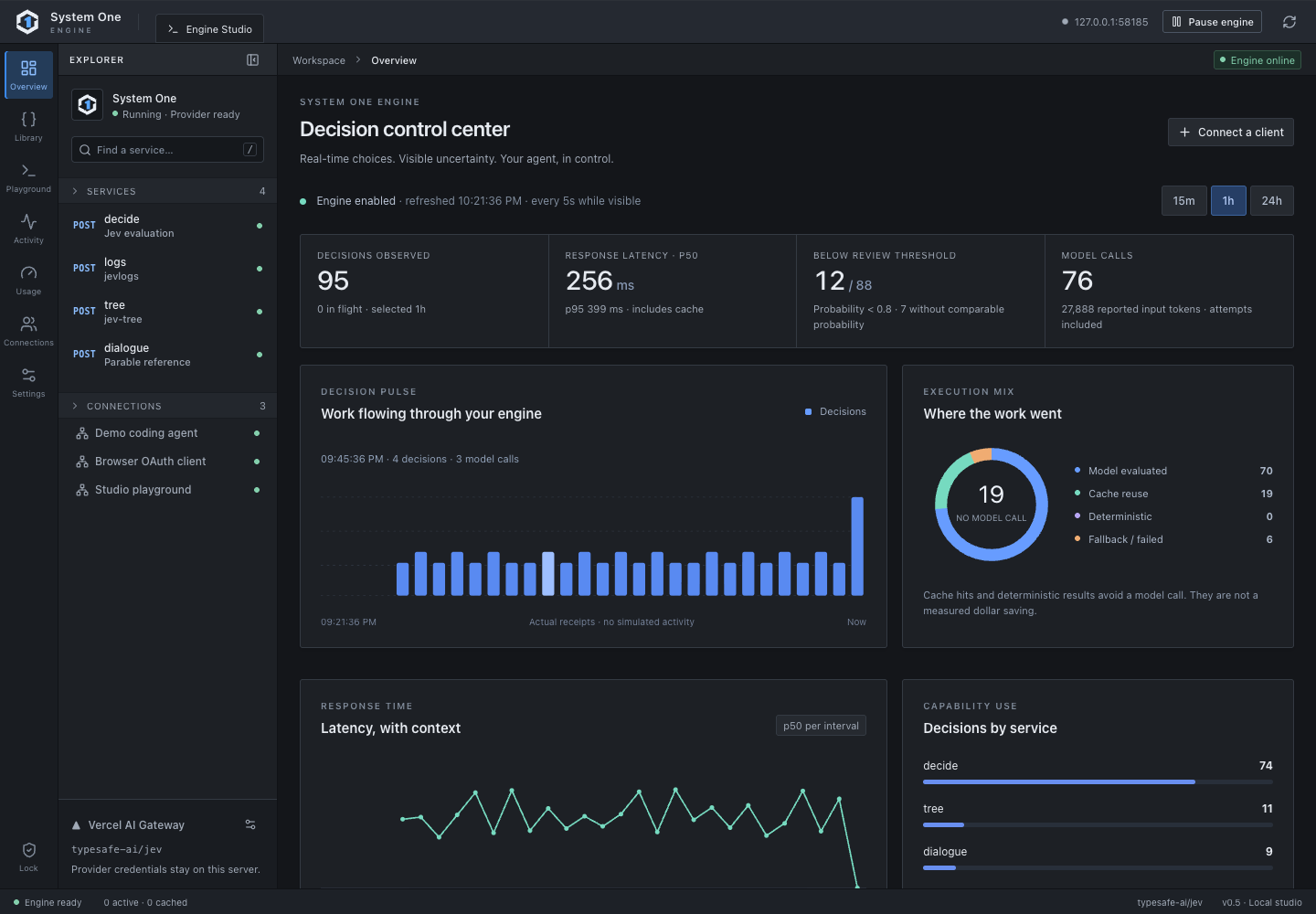
Actual interface with demonstration fixture data. The screenshots do not report production benchmarks.
A live decision control center
Decision volume, p50/p95 latency, review signals and execution mix over 15 minutes, one hour or a day. Select a receipt to inspect its source.
Connections you can identify
Separate keys and OAuth grants for each app or agent. Set scopes, pause a connection and revoke access without erasing its history.
Usage you can inspect
Review requests, attempts, tokens, latency, cache hits and outcomes. Inspect per-client activity without storing raw request bodies.
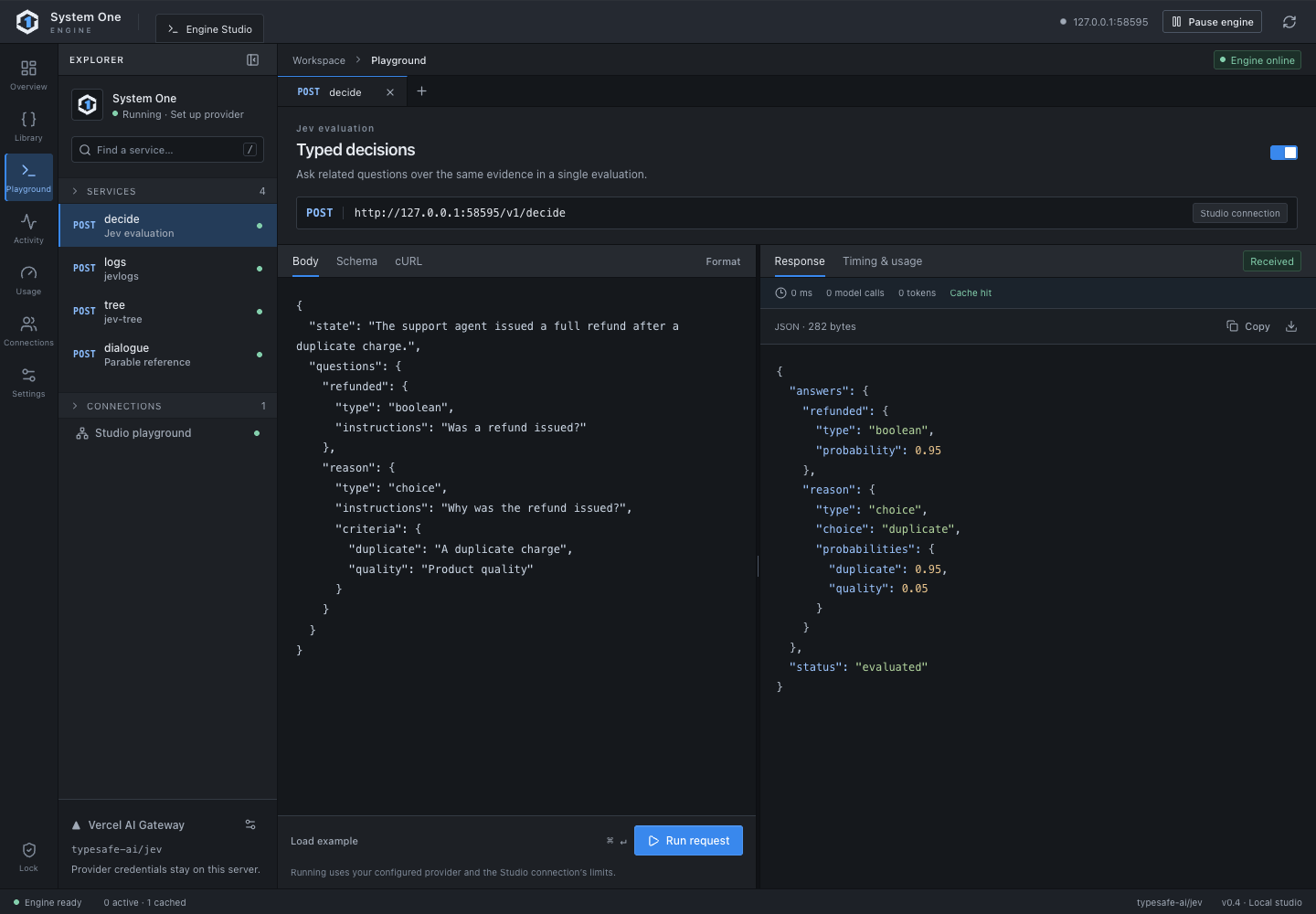
Evaluate and inspect
Explore service schemas, edit the input and inspect a typed response with its usage receipt.
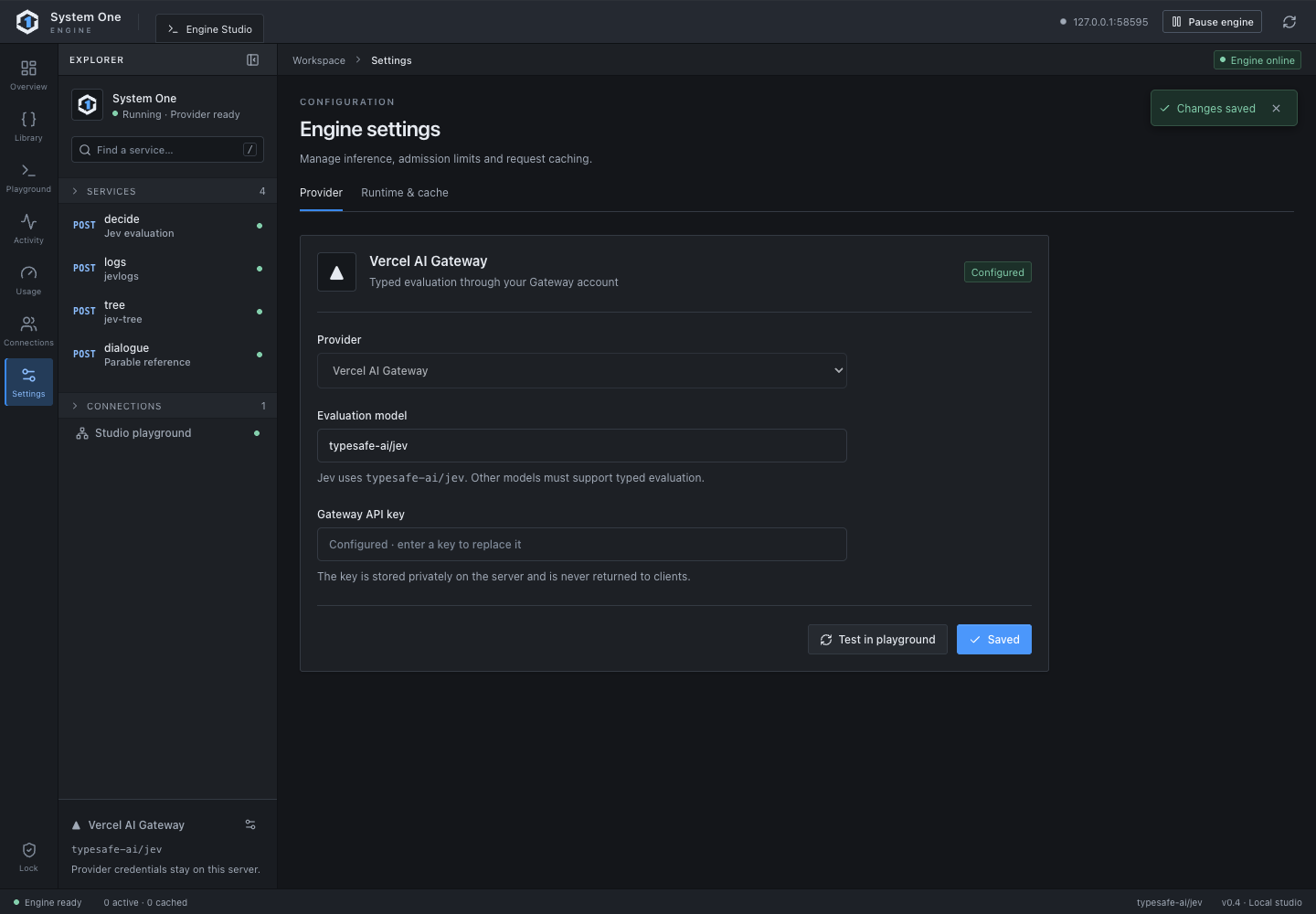
Configure the runtime
Set the engine's provider credential and adjust timeouts, cache and concurrency. Available provider choices depend on the runtime release.
Change access and usage limits
Toggle the engine or a service, manage client scopes and limits, approve MCP OAuth requests, review activity and export usage. Settings persist across restarts. Pausing or revoking a connection cancels its active work.
Each workspace has a direct URL: /library, /playground, /activity, /usage, /connections and /settings. Refresh or open a direct URL to return to the section you need.